Course enrolment form with format, payment preference and signature
Enrolment should be one clear step. This form asks for the student's contact details and date of birth, the course they choose from a list, the format (in person, online or hybrid), a preferred start date, how they will pay (in full, in three instalments or paid by an employer), their acceptance of the enrolment terms and a signature.
Who it is for
- Training centres, language schools and private teachers
- Coaches and consultants running paid courses
- Community colleges and associations offering classes
When to use it
Put the link on the course page or send it to someone who has said yes. Replace the sample course names with yours. The payment question tells you in advance whether to invoice the student or their employer, and the signed acceptance is a handy record of the terms agreed.
What the form asks
Student
- Full name · requiredShort text
- Email address · requiredEmail
- Phone numberPhone
- Date of birth · requiredDate
Course
- Course · requiredDropdown
- Format · requiredMultiple choice
- Preferred start dateDate
- Payment · requiredMultiple choice
- I accept the enrolment terms. · requiredYes / No
- Signature · requiredSignature
Every question can be changed, removed or reordered before you publish.
The PDF your respondents receive
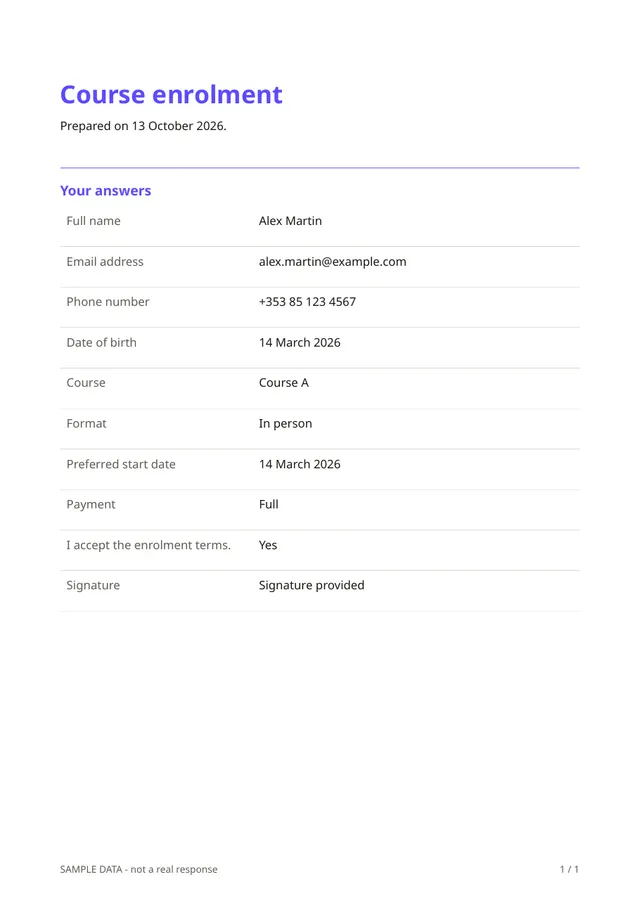
Each enrolment is a PDF with the student's details, the course, the format, the payment choice and the signature. The student downloads a copy, and you keep another for your records.
Questions people ask
- Does it take payment?
- No. It records the student's payment preference. Payment is not part of Fillfold today, so collect fees through your usual method.
- Can I enrol minors with it?
- The template asks for a date of birth, but a signature from a student under 18 may not be enough. Add a parent or guardian question, and check your local rules.
- Can I limit places?
- Yes. Set a maximum number of answers in the form's settings, and the form stops accepting enrolments when the course is full.
Start from this template
Create an account, adapt the questions and the document to your business, then share the link. Your respondents get their PDF the moment they finish.