Course feedback form: content, teacher and pace
Course feedback is most useful when it is specific. This conversational form asks for an overall star rating, how useful the content was, how the teacher was, whether the pace was too slow, just right or too fast, what the learner liked, what they would change and whether they would recommend the course.
Who it is for
- Trainers, schools and training providers
- Companies running internal courses
- Teachers who want to improve a course between sessions
When to use it
Send it in the last session or the day after, while the course is fresh. The pace question is a direct, practical signal for adjusting how much you cover. Mid-course feedback is also worth collecting, because you can still act on it.
What the form asks
Questions
- Overall rating · requiredRating
- How useful was the content? · requiredScale
- How was the teacher? · requiredScale
- The pace was · requiredMultiple choice
- What did you like?Long text
- What would you change?Long text
- Would you recommend this course? · requiredYes / No
Every question can be changed, removed or reordered before you publish.
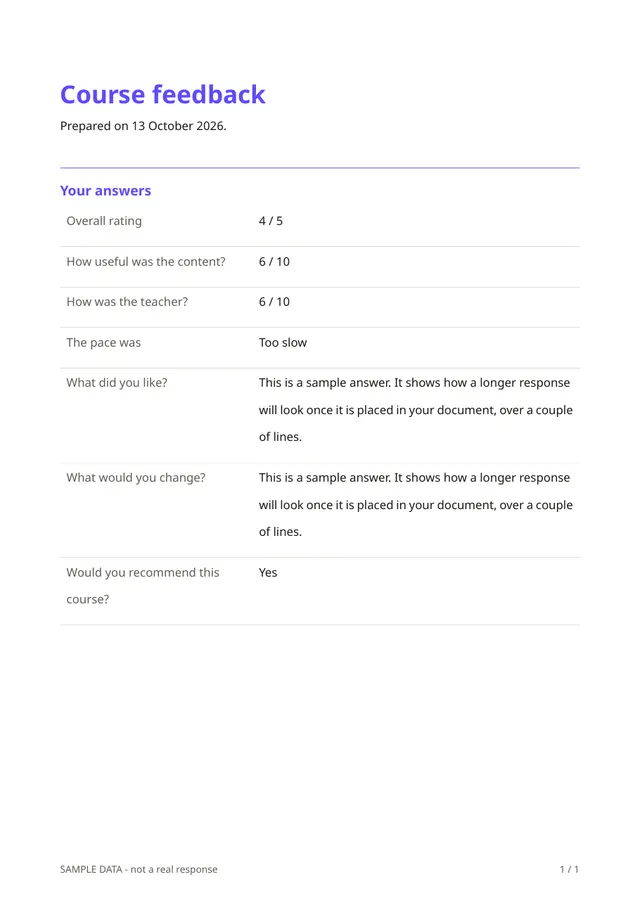
The PDF your respondents receive
Each response is a short PDF, and all responses can be exported in a spreadsheet to compare scores across cohorts. With permission, good comments can be reused as testimonials.
Questions people ask
- Is the feedback anonymous?
- The template asks for no name, so responses are anonymous unless the person writes their name in a comment.
- Can I use it for a single session?
- It works, but the session feedback template is shorter and designed for one-off sessions and workshops.
- Can I add questions about materials or the venue?
- Yes. Add whichever questions matter to you, but keep the form short enough to be finished.
Start from this template
Create an account, adapt the questions and the document to your business, then share the link. Your respondents get their PDF the moment they finish.