Tutoring intake form: subject, level and goals
A first lesson is better when the tutor already knows what to teach. This form asks for the student's name and age, a parent or contact person, the contact email, the subject (maths, science, languages, writing, exam preparation or other), the level (primary, secondary, university or adult), what the student wants to improve and which days are available.
Who it is for
- Private tutors and small tutoring businesses
- Teachers who offer extra lessons
- Language and music teachers taking on new students
When to use it
Send the link to anyone who enquires. Cards show one question at a time, which suits students and parents completing it together. The goals question helps you plan the first session, and the available days speed up scheduling.
What the form asks
Questions
- Student's name · requiredShort text
- AgeNumber
- Parent or contact nameShort text
- Contact email · requiredEmail
- Subject · requiredDropdown
- Level · requiredMultiple choice
- What do you want to improve? · requiredLong text
- Available daysCheckboxes
Every question can be changed, removed or reordered before you publish.
The PDF your respondents receive
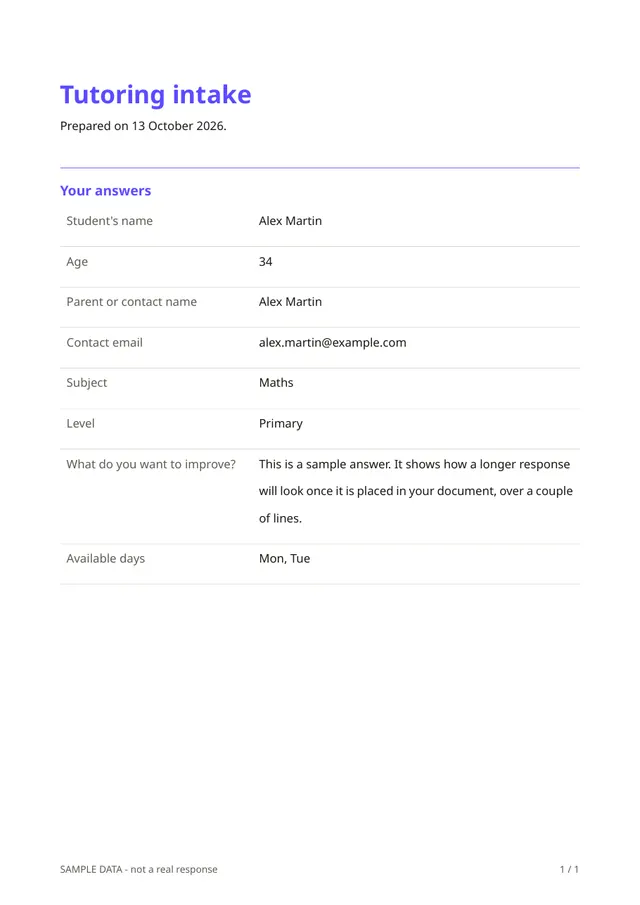
Each response is a one-page PDF to keep with the student's file, with the subject, the level and the goals. The parent or student receives a copy as confirmation.
Questions people ask
- Does it schedule lessons?
- No. It collects availability. You agree on times with the student or parent.
- Can adults use it?
- Yes. The level question includes adult learners, and the parent field is optional.
- Can I add a question about previous results?
- Yes. Add whichever questions help you, for example recent grades or exam dates.
Start from this template
Create an account, adapt the questions and the document to your business, then share the link. Your respondents get their PDF the moment they finish.