Wedding RSVP form with guest details and PDF
Paper reply cards get lost and group chats get messy. This RSVP form lets each guest say whether they are coming, how many people are with them, what they would like to eat, any allergies, whether they need a ride, and a message for the couple, in a couple of minutes on their phone.
Who it is for
- Couples organising their own wedding
- Wedding planners handling replies for several clients
- Hosts of other celebrations such as engagements, anniversaries and christenings
When to use it
Share the link with the invitation, or in a message to your guests. If you want, questions can be shown only when relevant, for example hiding the menu for guests who cannot come, so nobody answers what does not concern them.
What the form asks
Questions
- Your name · requiredShort text
- Will you attend? · requiredMultiple choice
- Number of guests (including you)Number
- Menu preferencesCheckboxes
- Allergies or needsLong text
- Do you need a ride?Multiple choice
- A message for the coupleLong text
Every question can be changed, removed or reordered before you publish.
The PDF your respondents receive
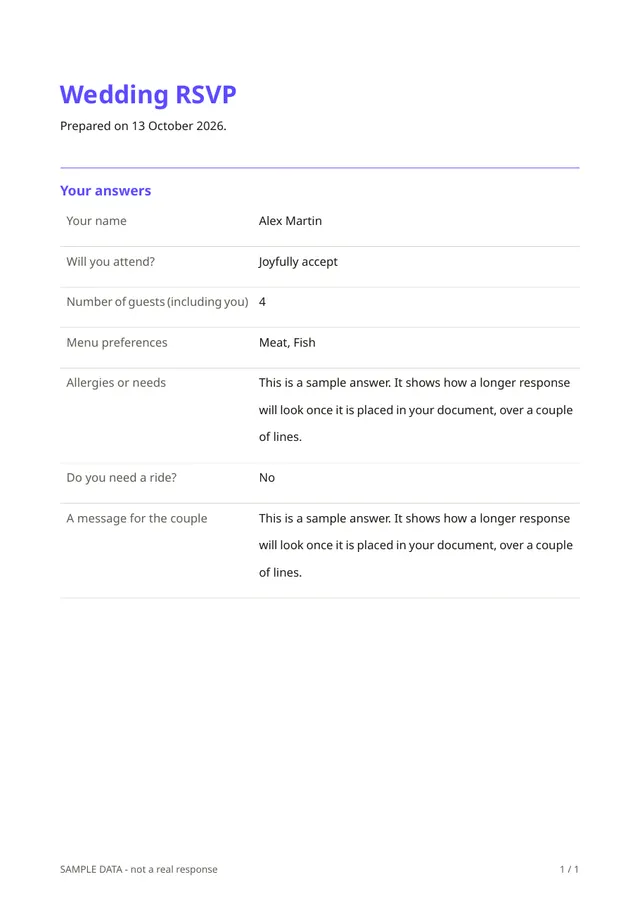
Every reply becomes a one-page PDF with the guest's answers, which is handy for the caterer, the venue or your own seating plan. Guests also receive a copy of what they submitted.
Questions people ask
- Can I close replies after a deadline?
- Yes. A form can be closed on a date you choose and can be limited to a maximum number of replies.
- Can I stop duplicate replies?
- You can allow only one reply per email address, so a guest cannot answer twice by mistake.
- Is it free to try?
- Fillfold is an early preview and pricing is not final. The template itself can be edited freely before you publish.
Start from this template
Create an account, adapt the questions and the document to your business, then share the link. Your respondents get their PDF the moment they finish.