Event registration form with dietary needs and photo consent
A registration form should settle the practical questions once. This one asks for the attendee's name and email, the ticket type, any dietary needs and whether you may take photos of them, then closes with a signature.
Who it is for
- Organisers of conferences, meetups, courses and club evenings
- Associations that need a record of who agreed to what
- Venues and caterers who need dietary information in advance
When to use it
Share the link in your invitation or on your event page. The dietary question lets your caterer plan ahead, and the photo question avoids awkward conversations on the day. You can edit the ticket types to match your event, for example standard, student and supporter.
What the form asks
Questions
- Full name · requiredShort text
- Email address · requiredEmail
- Ticket type · requiredDropdown
- Dietary needsCheckboxes
- Are we allowed to take photos of you? · requiredYes / No
- Signature · requiredSignature
Every question can be changed, removed or reordered before you publish.
The PDF your respondents receive
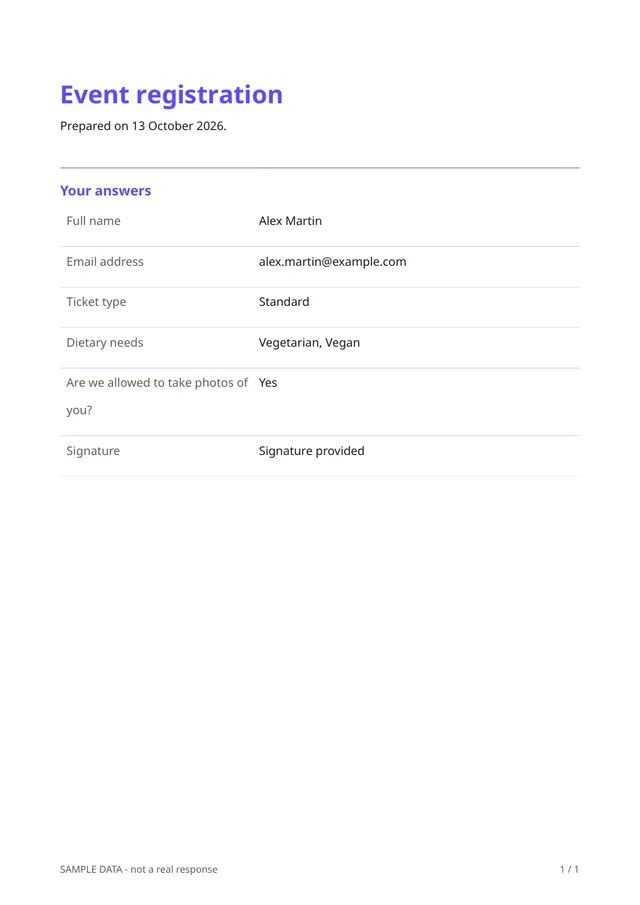
Each attendee gets a PDF confirming their registration, with their ticket type, their dietary needs, their answer on photos and their signature. You keep the same record, which helps if someone later asks what they agreed to.
Questions people ask
- Does it sell tickets or take payment?
- No. It registers people and records their details. Payment is not part of Fillfold today, so handle tickets and money in your usual way.
- Can I limit the number of places?
- Yes. In the form's settings you can stop accepting responses after a set number, and choose an opening and a closing date.
- Is the photo question enough for consent?
- It records a clear answer and a signature. Rules on photographing people differ by country, especially for children, so check what applies to your event.
Start from this template
Create an account, adapt the questions and the document to your business, then share the link. Your respondents get their PDF the moment they finish.