Volunteer sign-up form with availability and emergency contact
Volunteers are generous with time but often scattered across messages. This compact form asks for contact details, where they would like to help (registration, setup, kitchen, stewarding, cleanup or photography), which days they are available, any relevant skills and an emergency contact.
Who it is for
- Festivals, fairs and community events
- Sports clubs, schools and charities
- Any organiser who staffs an event with volunteers
When to use it
Share it with your mailing list or on social media a few weeks before the event. The roles and days are checkboxes, so people can offer several, and you can build your rota from the answers.
What the form asks
Questions
- Full name · requiredShort text
- Email address · requiredEmail
- Phone numberPhone
- Where would you like to help? · requiredCheckboxes
- Available on · requiredCheckboxes
- Skills or experienceLong text
- Emergency contact (name and phone) · requiredShort text
Every question can be changed, removed or reordered before you publish.
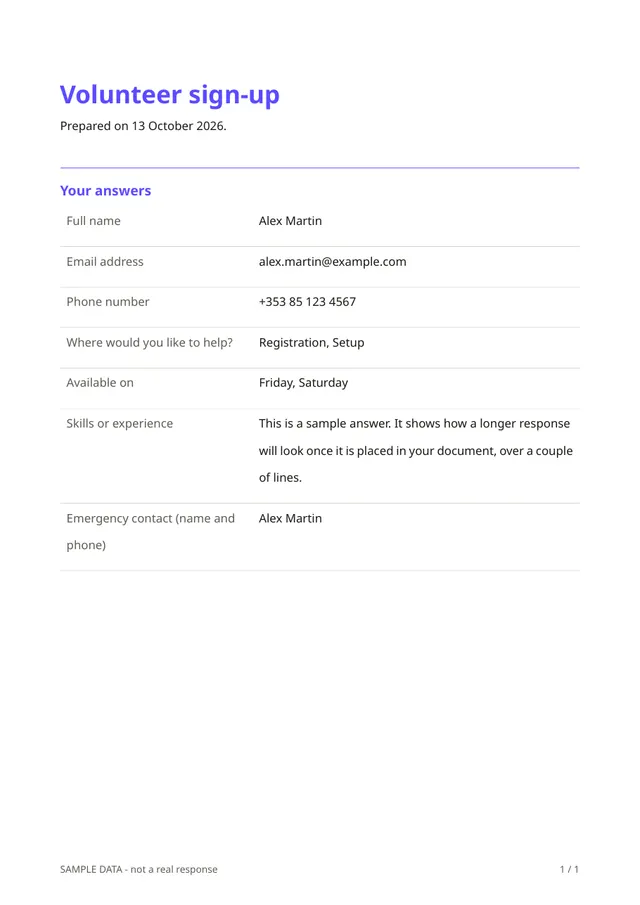
The PDF your respondents receive
Each volunteer gets a PDF listing their choices and emergency contact, and you can print the answers for the coordinators on the day. The emergency contact is personal information, so keep it only as long as you need it.
Questions people ask
- Can I change the days and roles?
- Yes. Edit the lists to match your event and add questions such as T-shirt size.
- Does it build the rota for me?
- No. It collects availability. You assign people to shifts, for example in a spreadsheet downloaded from the responses.
- Is the emergency contact required?
- Yes, in this template. Remove it if your event does not need it.
Start from this template
Create an account, adapt the questions and the document to your business, then share the link. Your respondents get their PDF the moment they finish.