Grant application form with project summary, budget and signature
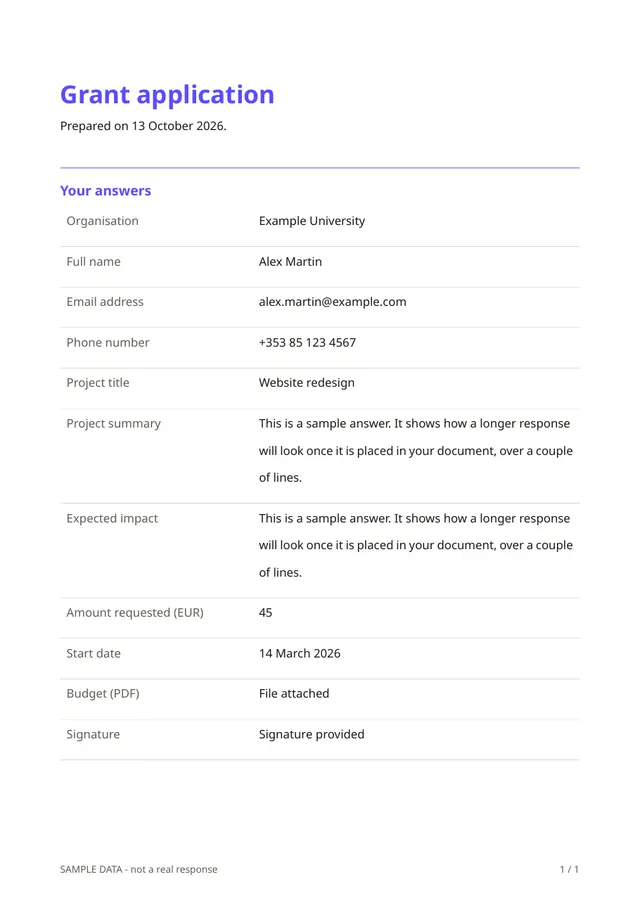
A funder reading dozens of proposals needs them in the same shape. This form asks for the organisation and the contact person, the project title, a summary, the expected impact, the amount requested, a start date, a required budget document in PDF format and a signature.
Who it is for
- Foundations, councils and funds with small grant programmes
- Associations that distribute grants to members
- Companies with a community fund
When to use it
Open a call for proposals and share the link with eligible organisations. Every application arrives complete, with its budget attached, so the review panel can compare them without hunting for missing documents.
What the form asks
Questions
- Organisation · requiredShort text
- Full name · requiredShort text
- Email address · requiredEmail
- Phone numberPhone
- Project title · requiredShort text
- Project summary · requiredLong text
- Expected impact · requiredLong text
- Amount requested (EUR) · requiredNumber
- Start dateDate
- Budget (PDF) · requiredFile upload
- Signature · requiredSignature
Every question can be changed, removed or reordered before you publish.
The PDF your respondents receive
Each application is a PDF with the answers and the signature. The budget stays stored with the response and can be opened from the form owner's account.
Questions people ask
- Can the panel score the applications in Fillfold?
- No. The panel reads and decides outside Fillfold. Download the answers as a spreadsheet to score them.
- Can I add eligibility questions?
- Yes. Add questions about the organisation's status, location or previous grants.
- Can applicants edit after submitting?
- No. Applicants cannot change a response after sending it. If they need to correct something, they contact you and you decide what to consider.
Start from this template
Create an account, adapt the questions and the document to your business, then share the link. Your respondents get their PDF the moment they finish.