Booking request form for venues, studios and rooms
A booking request needs the same few facts every time. This form asks for the person's contact details, the date, start and end times, the number of people, the type of event (meeting, party, workshop, shoot or other) and anything else you should know.
Who it is for
- Venues, community halls and meeting rooms
- Photography studios and rehearsal spaces
- Anyone who rents out a space and receives requests by message
When to use it
Replace the "is the room available on Saturday?" messages with a link. Because the form asks for times and the type of event, you can see at once whether a request fits. You then confirm by email, so you stay in control of your calendar.
What the form asks
Questions
- Full name · requiredShort text
- Email address · requiredEmail
- Phone numberPhone
- Date · requiredDate
- Start time · requiredTime
- End time · requiredTime
- Number of peopleNumber
- Type of event · requiredMultiple choice
- Anything else?Long text
Every question can be changed, removed or reordered before you publish.
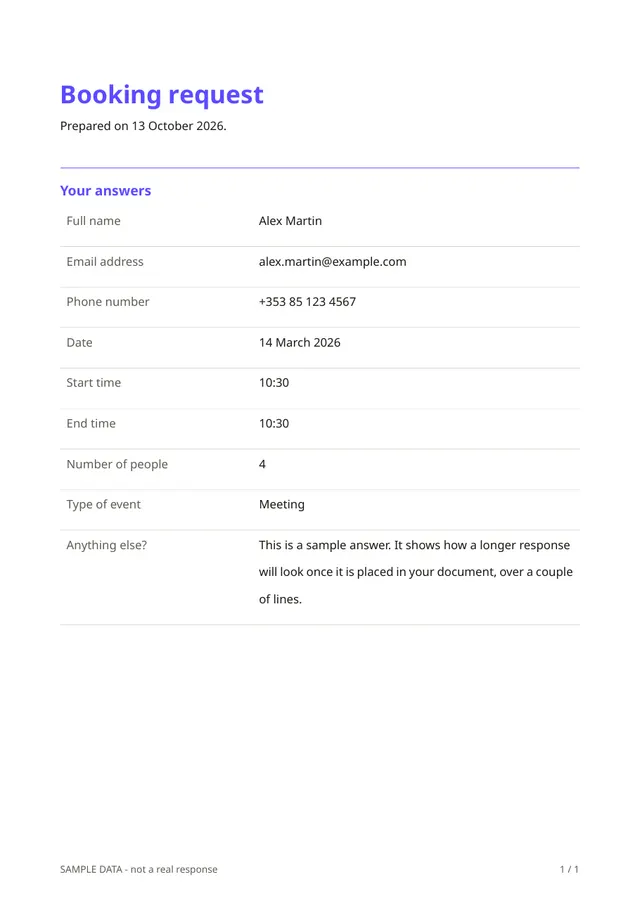
The PDF your respondents receive
Each request is saved as a PDF with the date, times and details. It can serve as the basis for your confirmation, and as a record if a disagreement arises later.
Questions people ask
- Does it check availability?
- No. It collects requests. You check your calendar and reply.
- Can I add a price or a deposit?
- You can add a note about your rates and conditions. Payments are not part of Fillfold today, so collect deposits in your usual way.
- Is it only for rooms?
- No. It suits studios, equipment, vehicles or any resource booked by date and time. Edit the questions to fit.
Start from this template
Create an account, adapt the questions and the document to your business, then share the link. Your respondents get their PDF the moment they finish.