Leave request form with a PDF record
Time-off requests tend to arrive as messages, calls and sticky notes. This leave request form gives everyone the same short path: who is asking, which dates, what kind of leave, and a note for the manager, followed by a signature.
Who it is for
- Small businesses without a dedicated HR system
- Team leads who approve leave and want a written record
- Associations and clubs with staff or volunteers on rotation
When to use it
Use it when someone wants time off, whether a day or several weeks. Because each request is a separate response with its own PDF, you can file it with the employee's record and refer to it later if there is a question about dates.
What the form asks
Questions
- Your name · requiredShort text
- Email address · requiredEmail
- Type of leave · requiredMultiple choice
- From · requiredDate
- To · requiredDate
- Note for your managerLong text
- Signature · requiredSignature
Every question can be changed, removed or reordered before you publish.
The PDF your respondents receive
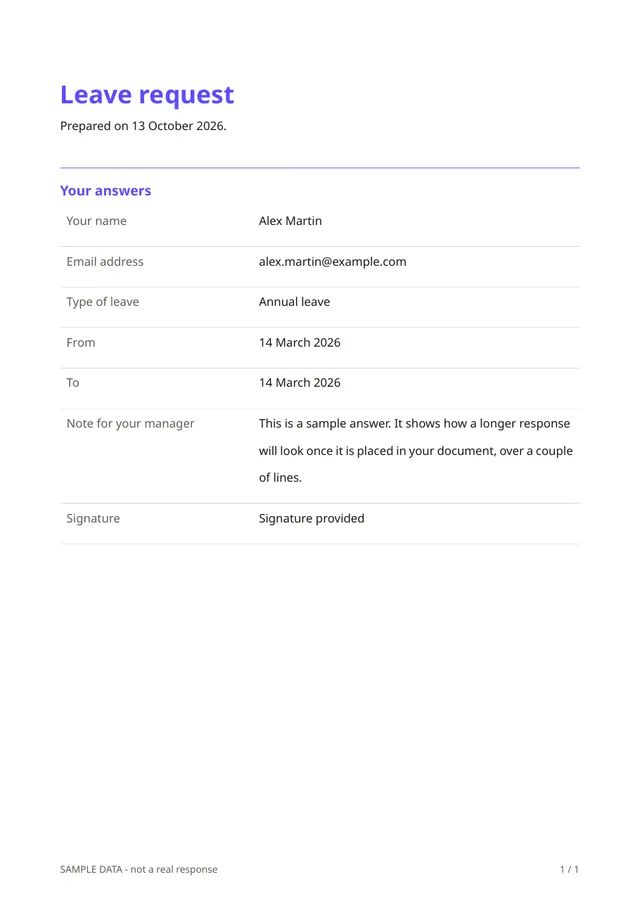
The PDF lists the employee, the dates, the type of leave, the note and the signature, in the same order every time. It is a record of the request; approval itself stays with you, outside the form.
Questions people ask
- Does it calculate leave balances?
- No. It collects and records requests. Balances and approvals are handled in your usual process.
- Who can see the responses?
- Only you, as the owner of the form. Answers are stored encrypted, and respondents do not see each other's replies.
- Can I add my company details to the PDF?
- Yes. Add your logo and details once in the document editor and they appear on every PDF.
Start from this template
Create an account, adapt the questions and the document to your business, then share the link. Your respondents get their PDF the moment they finish.