Employee onboarding form: details, emergency contact and equipment
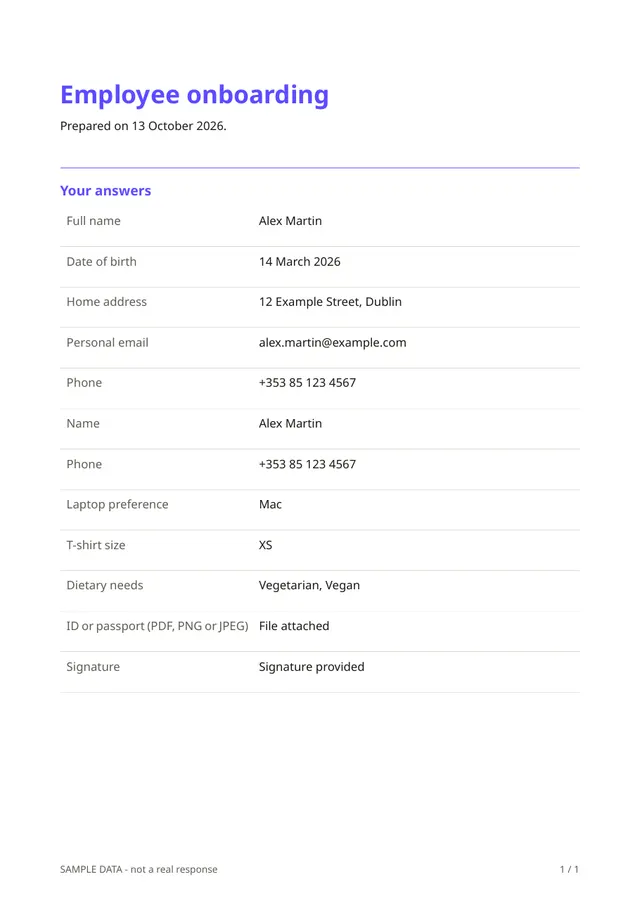
The first day goes smoothly when the paperwork is done in advance. This form asks the new hire for their name, date of birth, home address, personal email and phone, an emergency contact, a laptop preference, a T-shirt size, dietary needs, a copy of an ID or passport and a signature.
Who it is for
- Small companies and start-ups hiring their first employees
- HR and office managers who prepare desks, accounts and equipment
- Organisations that need the same details from every new starter
When to use it
Send it after the contract is signed and before the start date. You can order the right laptop, plan lunch for the first day and have the emergency contact on file. Because it contains personal details and an ID, collect only what you are entitled to and need.
What the form asks
Personal details
- Full name · requiredShort text
- Date of birth · requiredDate
- Home address · requiredShort text
- Personal email · requiredEmail
- Phone · requiredPhone
Emergency contact
- Name · requiredShort text
- Phone · requiredPhone
Work set-up
- Laptop preferenceMultiple choice
- T-shirt sizeDropdown
- Dietary needsCheckboxes
- ID or passport (PDF, PNG or JPEG) · requiredFile upload
- Signature · requiredSignature
Every question can be changed, removed or reordered before you publish.
The PDF your respondents receive
The PDF is a signed record of the new hire's details. The ID copy stays stored, encrypted, with the response, and should be deleted when you no longer need it.
Questions people ask
- Is collecting an ID copy allowed?
- It depends on your country and your reasons, such as proving the right to work. Check the rules, and remove the question if you do not need it.
- Does it create accounts for the new hire?
- No. It collects information. Creating accounts and ordering equipment are tasks for your team.
- Can I change the equipment choices?
- Yes. Edit the options to match what you actually provide.
Start from this template
Create an account, adapt the questions and the document to your business, then share the link. Your respondents get their PDF the moment they finish.