Expense claim form for employees with receipt and signature
One expense, one claim, one receipt. This form asks for the employee's name and email, a project or cost centre, the date of the expense, its category (travel, meals, accommodation, equipment, software or other), the amount, the business reason, a required receipt and a signature.
Who it is for
- Small companies with a manager approving expenses
- Teams that charge costs to projects
- Associations that repay members for purchases
When to use it
Send it to staff as the standard way to claim a cost. A required receipt and a stated business reason mean the claim is complete when it reaches you. For several expenses on one claim with an automatic total, use the expense claim with totals template.
What the form asks
Questions
- Your name · requiredShort text
- Email address · requiredEmail
- Project or cost centreShort text
- Expense date · requiredDate
- Category · requiredDropdown
- Amount (EUR) · requiredNumber
- Business reason · requiredLong text
- Receipt (PDF, PNG or JPEG) · requiredFile upload
- Signature · requiredSignature
Every question can be changed, removed or reordered before you publish.
The PDF your respondents receive
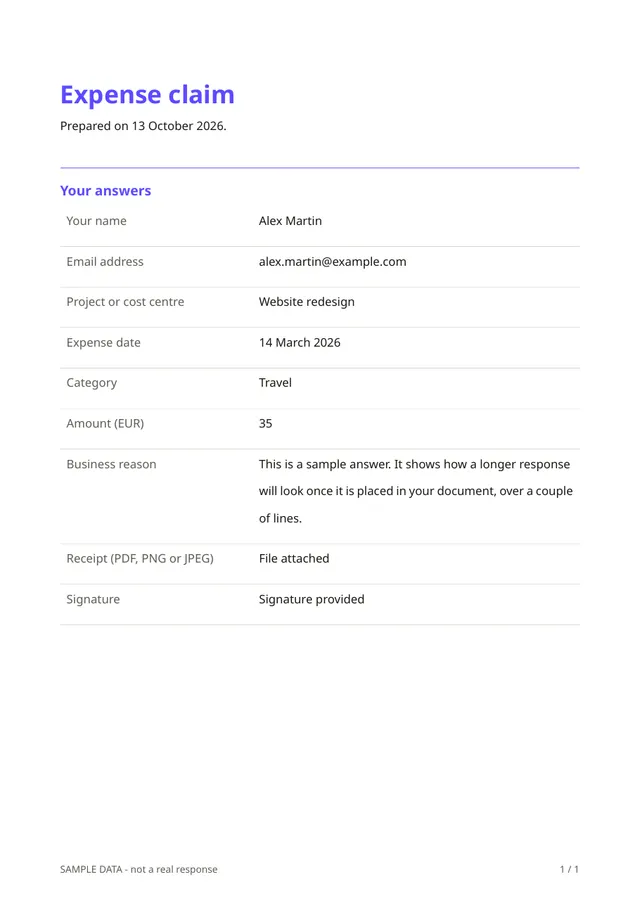
Each claim is a signed PDF with the receipt stored alongside, which is easy to forward to accounts or to attach to your bookkeeping.
Questions people ask
- Can employees claim several expenses at once?
- Not in this template, which handles one expense per claim. The version with totals takes a list of expenses.
- Who approves the claim?
- You do, outside Fillfold. The form collects and records the claim.
- Does it work with my accounting software?
- There is no direct link. You can download responses as a spreadsheet and import or copy what you need.
Start from this template
Create an account, adapt the questions and the document to your business, then share the link. Your respondents get their PDF the moment they finish.