Candidate screening form: a short pre-screen before interviews
Before you invest an hour in an interview, a few questions can tell you a lot. This conversational form asks for the candidate's name and email, the position, the notice period (immediately to more than three months), why this role, how well they match the job description on a scale, and an optional CV.
Who it is for
- Recruiters and hiring managers with many applicants
- Small teams that want to filter before interviewing
- Agencies pre-qualifying candidates for a client
When to use it
Send it to people who have applied or who were contacted about a role. A handful of questions, shown one at a time, are quick enough to complete on a phone. The self-assessed match and the notice period help you decide whom to call first.
What the form asks
Questions
- Your name · requiredShort text
- Email address · requiredEmail
- Position · requiredShort text
- Notice period · requiredMultiple choice
- Why this role? · requiredLong text
- How well do you match the job description? · requiredScale
- CV (PDF)File upload
Every question can be changed, removed or reordered before you publish.
The PDF your respondents receive
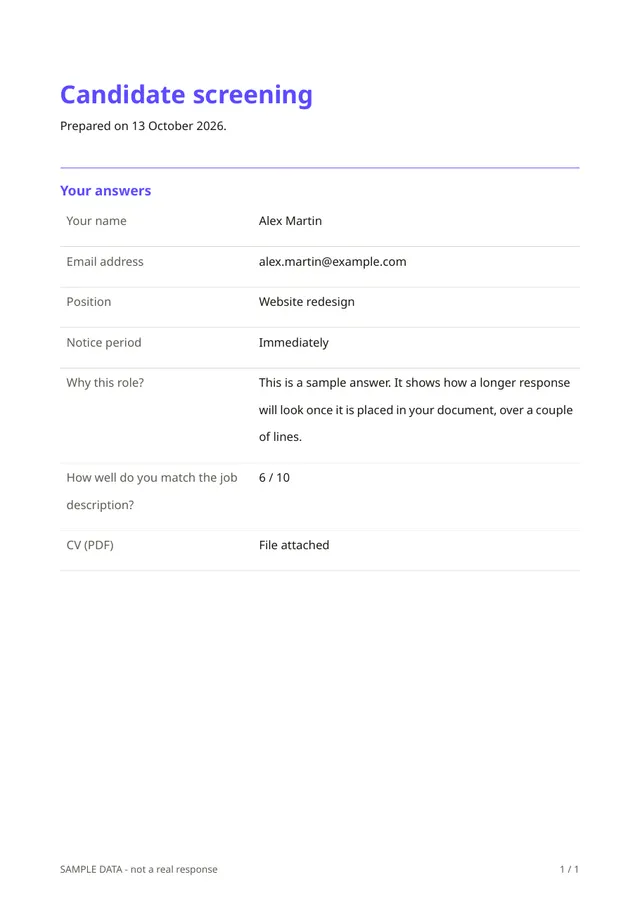
Each answer is saved as a one-page PDF, which you can attach to the candidate's file or share with the hiring manager before the interview.
Questions people ask
- Does it rank candidates?
- No. The match question is the candidate's own opinion. It does not produce a score or a decision.
- What is the difference from the job application form?
- This is a short first filter. The job application form is the fuller version with the CV, cover letter and salary expectation.
- Should I use it for every candidate?
- Using the same screen for everyone is fairer than improvising. Make sure your questions relate to the job.
Start from this template
Create an account, adapt the questions and the document to your business, then share the link. Your respondents get their PDF the moment they finish.