Reference check form for candidates' referees
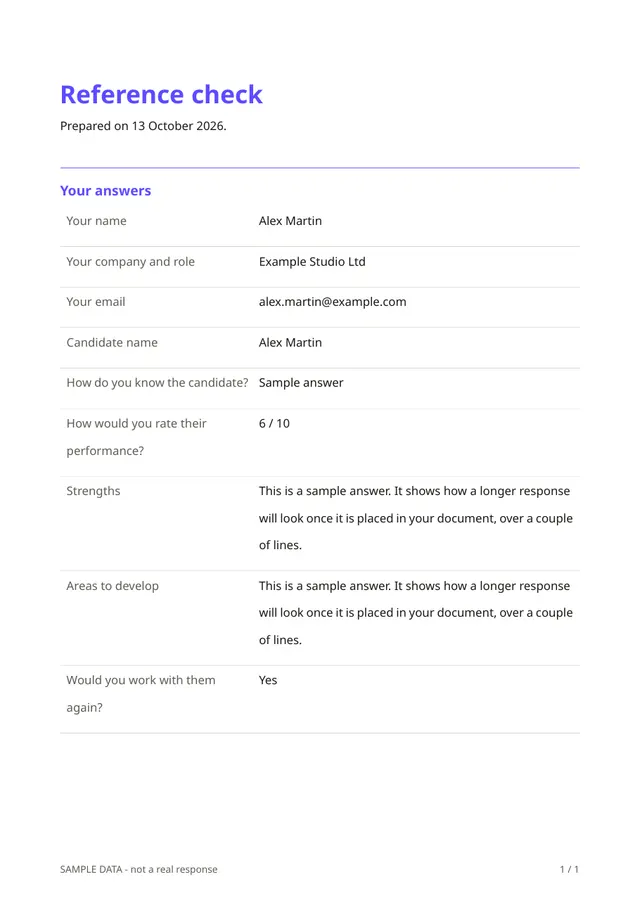
Phone references are hard to compare. This form lets a referee answer the same questions about a candidate in a few minutes: who they are and where they work, how they know the candidate, a performance rating, strengths, areas to develop and whether they would work with the candidate again.
Who it is for
- Employers and recruiters checking candidates before an offer
- Small teams without an HR department
- Anyone who wants references in writing
When to use it
Ask the candidate for permission and for referees' contact details, then send each referee the link. Being asked for a few specific answers is easier for the referee than writing a letter, so you get responses faster.
What the form asks
Questions
- Your name · requiredShort text
- Your company and role · requiredShort text
- Your email · requiredEmail
- Candidate name · requiredShort text
- How do you know the candidate? · requiredShort text
- How would you rate their performance? · requiredScale
- StrengthsLong text
- Areas to developLong text
- Would you work with them again? · requiredYes / No
Every question can be changed, removed or reordered before you publish.
The PDF your respondents receive
Each reference is saved as a PDF to keep with the candidate's file. A reference is only one person's opinion. Treat it as part of the picture and keep what you record factual.
Questions people ask
- Do I need the candidate's consent?
- It is good practice and, in many places, expected or required. Check the rules that apply to you.
- Does the referee's identity get verified?
- No. Contact the referee through a company channel if it matters.
- Can I add questions?
- Yes. Add questions about attendance, teamwork or the reason for leaving, if relevant to the role.
Start from this template
Create an account, adapt the questions and the document to your business, then share the link. Your respondents get their PDF the moment they finish.