Client onboarding form with PDF summary
A good start with a client avoids weeks of back-and-forth emails. This onboarding form gathers their contact details, the billing details you will need for invoices (name, address, VAT number, invoice email), how they prefer to communicate, and what success looks like for them. They finish by accepting your terms and signing.
Who it is for
- Consultants, coaches and agencies who start new projects regularly
- Freelancers who want a consistent first step for every client
- Service businesses that need the same information every time
When to use it
Send the link right after a client says yes, before the kick-off call. Clients can answer on their phone or computer one question at a time, so it feels like a conversation rather than paperwork, and you arrive at the call already informed.
What the form asks
Contact
- Company name · requiredShort text
- Main contact · requiredShort text
- Email address · requiredEmail
- Phone numberPhone
Billing
- Name on invoices · requiredShort text
- Billing address · requiredShort text
- VAT numberShort text
- Email for invoicesEmail
How we will work
- Preferred way to communicate · requiredMultiple choice
- What does success look like for you?Long text
- I have read and accept the terms of the engagement. · requiredYes / No
- Signature · requiredSignature
Every question can be changed, removed or reordered before you publish.
The PDF your respondents receive
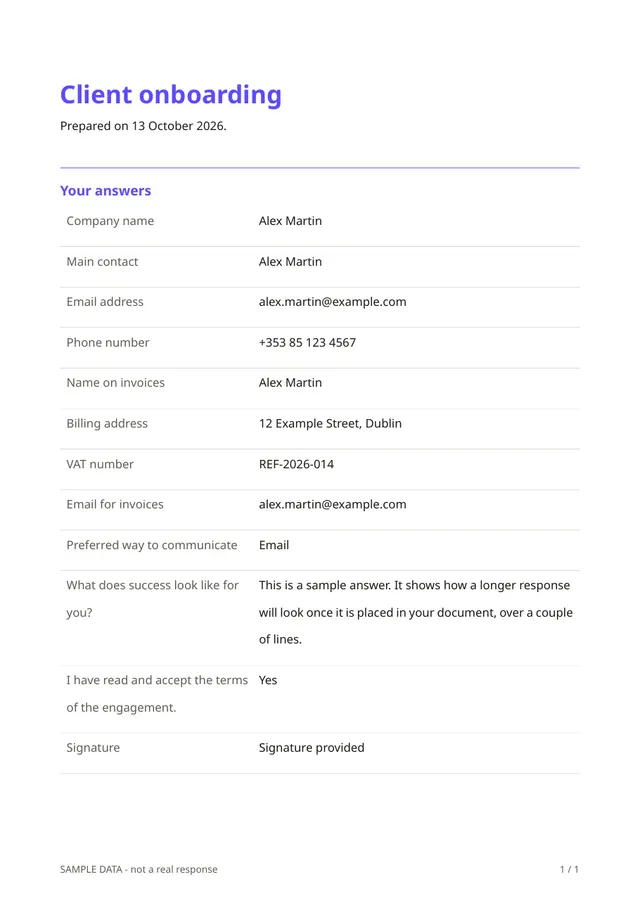
Each response becomes a clear PDF with the client's answers in order, including their signature. You can save it with the project, share it with your team, or keep it as a record that the terms were accepted.
Questions people ask
- Do clients need an account?
- No. They open your link, answer and receive their PDF. Only you need an account.
- Is the signature legally binding?
- The form records a drawn signature and the date of the response. Whether that is enough for your contract depends on your country and your situation, so check with a professional if it matters.
- What if I only need a few of these questions?
- Delete what you do not need. The template is a starting point, and the form is yours to edit before you publish.
Start from this template
Create an account, adapt the questions and the document to your business, then share the link. Your respondents get their PDF the moment they finish.