Client intake form: what to ask a new coaching or consulting client
Updated 21 October 2026 · 7 min read
A client intake form gathers what you need before you start: contact details, goals, context, practical preferences and agreement to your terms. Ask only what you will actually use, and be careful with health questions, which are special category data under UK GDPR.
A client intake form is the questionnaire a new client fills in before you start working together. Coaches use it to understand goals and context before the first session. Consultants use it to scope an engagement. Personal trainers use it to plan a programme. Done well, it saves the first half hour of the first meeting and shows the client you take their time seriously. This guide covers what to ask, what not to ask, and how to send an intake form that comes back as a tidy PDF.
What a client intake form should cover
Use this as a checklist. Few businesses need every row.
| Section | Example questions | Why it matters |
|---|---|---|
| Contact | Full name, email, phone | So you can reach them |
| Goals | What would you like to achieve? What would success look like? | The centre of the work |
| Context | Why now? What have you tried before? | Saves you from suggesting what already failed |
| Focus areas | Career, confidence, habits, leadership, stress | Lets you prepare the first session |
| Commitment | How committed are you to making this change, on a scale of 1 to 10? | An honest starting point |
| Practicalities | Preferred times, in person or online, how to communicate | Avoids back-and-forth emails |
| Business details | Company, name on invoices, VAT number | For consultants who invoice a company |
| Agreement | Acceptance of your terms, and a signature | Shows the client agreed before you started |
Intake forms for different kinds of work
Life, career and business coaching
The questions are about goals and context. Open questions work best: "What would you like to be different in six months?" gives you more than a tick box. Add one or two scales so you can measure progress later by asking the same question again.
Consulting
A consulting intake leans towards the business: the company, its situation, what has been tried, the decision-makers, the budget and the timeline. Billing details and terms often go in a separate onboarding form once the client has said yes.
Personal training and wellness
A personal training client intake form usually asks about goals, current activity level and preferences. Many trainers also ask about injuries or conditions. Be careful here: see the section on health questions below. An intake form helps you plan sessions. It is not a medical assessment, and it does not replace advice from a doctor.
Asking only what you need
Under UK GDPR, personal data must be "adequate, relevant and limited to what is necessary" for your purpose. The ICO, the UK data protection regulator, puts it plainly: "You must not collect personal data on the off-chance that it might be useful in the future." In Ireland, the Data Protection Commission describes the same principle, found in Article 5 of the GDPR: processing "must be adequate, relevant, and limited to what is necessary".
In practice, go through your intake form and ask of each question: what will I do with this answer?
- Date of birth: do you need it, or would an age range do? Or nothing?
- Home address: only if you visit or post things.
- Employer: only if it changes the work, or if the employer pays.
- Free boxes: say what you are looking for, so people do not share more than needed.
Shorter forms also get finished more often.
Health questions
The ICO lists "data concerning health" among the special category data, alongside other sensitive information. It says this data "needs to be treated with greater care" and that you "must identify an Article 9 condition for processing", an extra legal condition on top of the usual one. If your intake form asks about injuries, conditions, medication or mental health:
- ask only what you need to work safely;
- say why you ask, in the form itself;
- make detailed questions optional where you can;
- keep the answers no longer than needed;
- check your professional body's or insurer's guidance, and ask a data protection professional if you are unsure.
This guide is not legal advice. You decide what your form asks, and you remain responsible for it.
Sending an intake form that comes back as a PDF
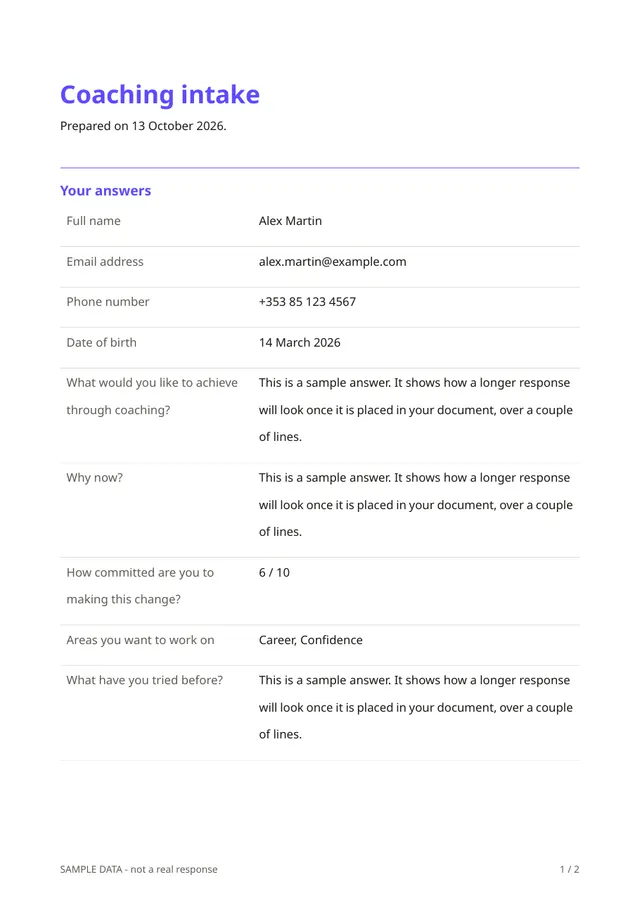
An intake form works well as an online form: the client fills it in on their phone, at their own pace, and you get the answers in one place before the first session. In Fillfold, each response also becomes a PDF, which you can keep in the client's file and the client can save.
The coaching intake template
The coaching intake template asks for:
- full name, email address and phone number;
- "What would you like to achieve through coaching?" and "Why now?";
- "How committed are you to making this change?", on a scale;
- the areas to work on: career, confidence, relationships, habits, stress, leadership or other;
- what they have tried before;
- a signature, to agree to the coaching agreement.
In line with the advice above, the template does not ask for a date of birth.
Related templates
- Client onboarding: company name, main contact, billing details, VAT number, preferred way to communicate, what success looks like, acceptance of your terms and a signature. A good second form for consultants.
- Wellness intake (non-medical): age, goals, current activity level, a yes or no question about injuries or conditions with a details box that only appears after a yes, whether a doctor has approved exercise, and a signature. It opens with a note that the form is not medical advice. Read the health section above before you use it.
- Discovery call request: for prospects who are not clients yet.
Setting it up
- Open the template and click through the questions. Remove what you do not need, and change the wording to your own voice.
- Write your agreement in an Info text question placed above the signature, or link to your terms.
- Design the PDF: your logo, your colours, the answers in a clear order. See design the PDF.
- Publish and send the link before the first session, or embed it on your website.
- Set an automatic deletion delay that matches how long you keep client files. See retention and deletion.
The client needs no account. They answer, sign with a finger, and see an Open your PDF button at the end. You find every response and its PDF in your account. See what your client sees.
If you work with clients in several languages, the same form can be offered in each of them. See a form in several languages.
Tips for intake forms clients actually finish
- Keep it under ten minutes. If it is longer, say so at the start.
- Start with easy questions, such as name and contact, then move to goals.
- Explain why you ask anything personal.
- Use the answers. Mention them in the first session, so the client sees the form was worth filling in.
- Ask the same scale question again later to show progress.
Start from the coaching intake
Open the coaching intake, trim it to what you need, add your logo and your agreement, and send it to your next new client. For more forms for coaches and consultants, browse coaching and consulting.
The template for this
Coaching intake
Ready to use: change the questions, add your logo and share the link.
Questions
- What is the difference between an intake form and an onboarding form?
- An intake form is about the person and their goals: what they want to change and why. An onboarding form is about working together: billing details, how to communicate, and the terms. Many consultants send both, or merge them into one.
- Can a personal training client intake form ask about injuries?
- It can, but that is health data, which the ICO lists as special category data needing more care and an extra legal condition. Ask only what you need, follow your professional body's guidance, and remember that an intake form is not a medical assessment.
- Should the client sign the intake form?
- A signature is useful when the form includes your agreement or terms, because it shows the client accepted them. The coaching intake template ends with one.
- How long should I keep intake forms?
- Only as long as you need them for the purpose you collected them for. In Fillfold you can delete responses one by one or set an automatic deletion delay.
Related templates
- Client onboardingEverything you need from a new client before you start.
- Wellness intake (non-medical)Lifestyle questions for a wellness or fitness client. Not a medical record.
- Discovery call requestLet prospects ask for a first call and tell you what they need.
Sources
- ICO: principle (c), data minimisation
- Data Protection Commission: principles of data protection
- ICO: what is special category data?
Facts checked on 21 October 2026.
All guides
- PDF form builder: how to create a fillable PDF or an online form that produces one
- Job sheet template: what to include, and how to get it signed on site
- Quote form template: the quote you send, and the request form your clients fill in
Send your first document today.
Pick a template, add your logo, share the link. Free during early access.