Expense declaration form with receipts and signature
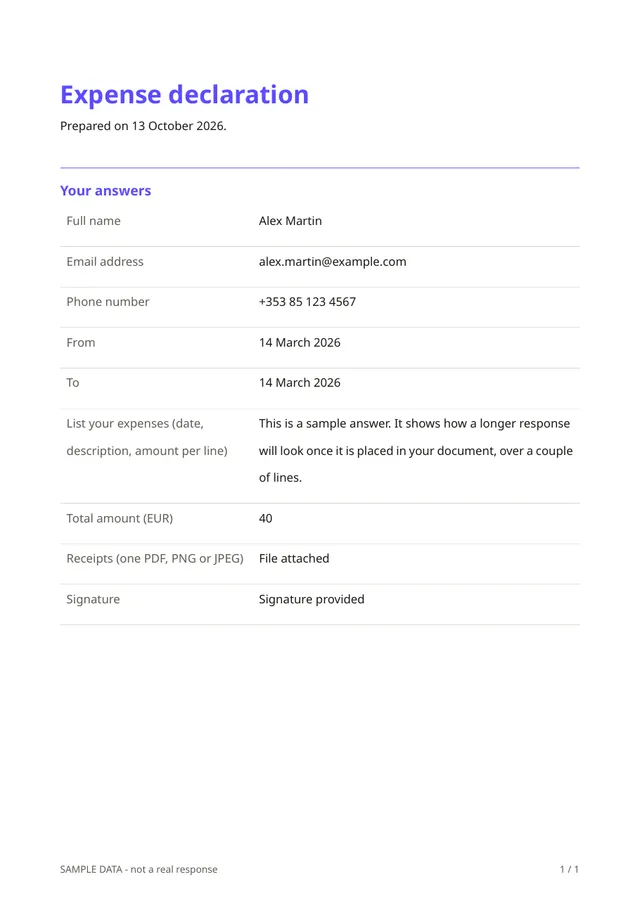
This is the simplest way to put an expense declaration on paper. The person gives their details and the dates covered, lists the expenses (date, description and amount per line), enters the total, attaches the receipts as one file and signs.
Who it is for
- Volunteers and members who are repaid for small costs
- Small teams without an expenses tool
- Anyone who declares a handful of expenses now and then
When to use it
Use it when the volume is low and you want a signed record without extra software. The total is typed by the person here, so for automatic totals and line-by-line amounts use the expense claim with totals template.
What the form asks
Questions
- Full name · requiredShort text
- Email address · requiredEmail
- Phone numberPhone
- From · requiredDate
- To · requiredDate
- List your expenses (date, description, amount per line) · requiredLong text
- Total amount (EUR) · requiredNumber
- Receipts (one PDF, PNG or JPEG)File upload
- Signature · requiredSignature
Every question can be changed, removed or reordered before you publish.
The PDF your respondents receive
The PDF holds the declaration, the list, the total and the signature. The receipts file is stored with the response and can be opened from your account.
Questions people ask
- Is the total checked automatically?
- No. In this template the person types the total. The version with totals calculates it from the lines.
- Can people attach several receipts?
- The template accepts one file. People can combine receipts into a single PDF, or you can add more upload questions.
- Is it valid for accounting or tax purposes?
- Requirements differ by country and organisation. Ask your accountant whether this record is sufficient for you.
Start from this template
Create an account, adapt the questions and the document to your business, then share the link. Your respondents get their PDF the moment they finish.